You are watching your traffic climb, yet your earnings remain stubbornly flat. It is a frustrating reality for countless publishers who realize that traffic volume does not automatically guarantee high ad revenue. The culprit behind this disconnect is often a flood of low-paying ads hijacking your premium ad spaces.
When advertisers bid pennies for clicks on your site, they drain your revenue potential and clutter your user experience. Fortunately, you can take control of your auction dynamics by filtering out the digital clutter. This comprehensive guide will show you how to block low-paying categories in Google AdSense to instantly boost CPC.
The Real Reason Your AdSense CPC is Abysmal
Google AdSense operates as a real-time auction marketplace where thousands of advertisers compete for your ad real estate. In an ideal world, the highest bidder always wins, netting you maximum revenue per click. However, the reality of the AdSense auction is far more complex than a simple highest-bidder-wins scenario.
If your website attracts broad, general-interest topics, you inadvertently open the floodgates to low-paying ad categories. Advertisers promoting cheap mobile apps, clickbait articles, or low-cost retail goods often dominate these unrestricted auctions. Because these advertisers operate on razor-thin margins, their maximum bids are incredibly low, dragging down your overall Cost Per Click (CPC).
Furthermore, when your ad units are filled with low-yield categories, you suffer from poor contextual alignment. A reader visiting your tech review site does not want to see ads for generic astrology readings or discount footwear. By failing to filter your ad stream, you confuse your audience, plummet your Click-Through Rate (CTR), and tank your RPM.
How the AdSense Auction Actually Works
AdSense relies on a modified second-price auction system, meaning the winner pays just a fraction more than the second-highest bid. If your second-highest bidder is a low-paying category offering pennies, the winning premium advertiser gets your space for a steal. Blocking low-paying categories forces these bargain-basement bidders out of the equation completely.
When you eliminate the bottom-tier bidders, you effectively raise the floor price of your ad inventory. Premium advertisers are forced to bid against other premium advertisers, rather than competing against junk ads. This simple shift in auction dynamics is the secret weapon to driving up your average earnings per click.
Step-by-Step Guide: How to Block Low-Paying Categories in Google AdSense
Ready to optimize your ad stream and filter out the low-value fluff? The process requires a surgical approach within your AdSense dashboard to avoid accidentally cutting off profitable revenue streams. Follow this precise blueprint to clean up your ad inventory safely and effectively.
Step 1: Navigate to the Blocking Controls
Log into your Google AdSense dashboard and look at the left-hand navigation menu. Click on the Brand safety dropdown menu, then select Content, followed by Blocking controls. This section is your command center for filtering out unwanted advertisers, URLs, and general ad categories.
From here, you can choose to apply blocking rules globally across your entire account or target specific sites. If you run multiple websites in completely different niches, we highly recommend managing these categories on a site-by-site basis. A category that performs horribly on a finance blog might actually be a goldmine for a lifestyle website.

Step 2: Analyze General Categories
Click on the Manage General Categories link to view a breakdown of the broad industries bidding on your site. AdSense displays a list of top-level categories alongside two critical metrics: Ad impression % and Earnings %. This data is the exact roadmap you need to make profitable, data-driven blocking decisions.
Compare these two percentages closely for every single category listed on your screen. If a category consumes 15% of your ad impressions but only generates 2% of your revenue, it is a low-paying category. These underperforming categories are taking up valuable visual real estate while contributing next to nothing to your bottom line.
Step 3: Dive Into Sensitive Categories
Go back to the main blocking controls page and click on Manage Sensitive Categories. This section includes highly specific, often controversial topics like politics, religion, dating, weight loss, and get-rich-quick schemes. Because these niches are highly saturated, they frequently feature thousands of low-quality, low-paying ads.
Review the impression-to-earnings ratio for these sensitive niches just as you did with the general categories. Many publishers find that categories like “Get Rich Quick” or “Social Casino Games” flood their sites with cheap, annoying ads. Carefully flip the toggle switch to Blocked for any sensitive category that fails to justify its impression share.
The Smart Filter Strategy: What to Block and What to Keep
A common mistake eager publishers make is going on a reckless blocking spree, shutting down dozens of categories overnight. If you block too many categories aggressively, you drastically reduce auction competition, which can actually cause your overall earnings to crash. You must approach category filtering with a strategic, data-driven mindset.
The goal is not to eliminate all ads, but rather to eliminate the specific ads that actively depress your CPC. To help you navigate this delicate balancing act, we have compiled a benchmark table of categories that typically underperform across US-centric audiences.
| Ad Category Type | Typical Performance | Recommended Action |
|---|---|---|
| Apparel & Accessories | High Impressions / Low CPC | Block if niche is unrelated |
| Dating & Relationships | High CTR / Very Low CPC | Block on professional/finance sites |
| Finance & Investing | Low CTR / Extremely High CPC | Never Block (Premium Category) |
| Social Casino Games | High Impressions / Low Yield | Block to improve user experience |
| Astrology & Esoteric | Moderate Impressions / Low CPC | Block on corporate/tech sites |
Every website possesses a unique audience demographic, meaning your data will look slightly different than the benchmarks above. A tech blog catering to software engineers will have completely different premium categories than a food blog focusing on vegan recipes. Always let your personal AdSense dashboard metrics dictate your final blocking choices, rather than relying solely on generic industry gossip.
As a golden rule, never block more than 3 to 5 categories at a single time. After implementing a round of blocks, let your site run undisturbed for at least 14 days to gather clean data. This gives the AdSense auction system ample time to recalibrate and replace the blocked inventory with higher-paying alternatives.
Real-World Case Study: A 42% CPC Lift in 30 Days
Let’s look at a concrete, hypothetical scenario to see how this strategy plays out in the real world. Imagine a mid-sized publisher running an automotive news and review website targeting a premium United States audience. The site was pulling in 150,000 monthly pageviews, but the average CPC was stuck at an underwhelming $0.22.
Upon reviewing their AdSense dashboard, the publisher discovered that the “Apparel & Accessories” and “Beauty & Personal Care” categories were dominating their ad units. Together, these two categories accounted for a massive 28% of total ad impressions. However, they were combined contributing a measly 4.5% of the site’s total monthly ad earnings.
“By removing the low-performing apparel ads, we immediately forced the system to fill those empty slots with high-paying automotive insurance and detailing ads.”
The publisher promptly blocked both underperforming general categories and also disabled the “Social Casino Games” sensitive category. Over the next three weeks, the total number of available advertisers competing in their auction initially dropped slightly. However, the advertisers that remained were highly relevant, premium brands willing to pay top dollar for an automotive audience.
Within exactly 30 days, the site’s average CPC jumped from $0.22 to an impressive $0.31—a clean 42% lift in click value. Because the ads were now highly relevant to car enthusiasts, the overall CTR improved alongside the CPC boost. This double-whammy optimization strategy resulted in a significant, permanent increase in monthly RPM without requiring a single drop of extra traffic.
Pro Tips to Maximize AdSense Revenue Beyond Category Blocking
While blocking low-paying categories is an incredibly effective optimization lever, it shouldn’t be your only line of defense. To truly unlock maximum revenue from your US traffic, you must combine category filtering with smart ad layout strategies. Here are three expert techniques to maximize your display ad performance.
Optimize Ad Placement and Formats
The physical positioning of your ad units plays a massive role in dictating how much advertisers are willing to bid for them. Ads placed above the fold, particularly embedded within content or right below the main headline, command the highest viewability scores. Advertisers track viewability ruthlessly and will happily pay a premium for slots that users actually see and interact with.
Additionally, make sure you enable both Text/Display ads and Rich Media formats within your ad units. Restricting your ad units to display-only images limits the number of advertisers who can bid on your site, driving prices down. Allowing all ad formats ensures maximum auction competition, giving your newly optimized categories the best chance to shine.
Leverage Ad Review Center for Surgical Precision
The Category Blocking tool is fantastic for broad strokes, but the Ad Review Center gives you surgical precision over individual ads. Spend 15 minutes every week manually reviewing the specific ad creatives that have recently served on your website. If you spot cheap, scammy-looking ads or blatant clickbait, you can block that specific advertiser URL instantly.
This micro-management prevents low-quality advertisers from sneaking through broad category loopholes and dragging down your brand safety. Keeping your ad feed clean and professional builds trust with your audience, which naturally leads to cleaner clicks and better long-term performance. Think of the Ad Review Center as your digital velvet rope, keeping the riff-raff out of your premium club.

Focus on High-Intent, Premium US Content
At the end of the day, your AdSense CPC is heavily tied to the real-world commercial intent of your content. If you write generic informational articles, advertisers will bid lower because the reader isn’t actively looking to buy something. However, if you create high-intent buying guides, product comparisons, or problem-solving articles, CPCs naturally skyrocket.
Align your content strategy to target valuable US demographics searching for solutions in high-paying industries like finance, tech, healthcare, and insurance. When your content oozes commercial value, premium advertisers will aggressively outbid each other to reach your audience. Combine this high-intent content with your category blocks, and your earnings will experience an absolute transformation.
Frequently Asked Questions
Will blocking categories lower my overall AdSense fill rate?
Yes, blocking categories can slightly reduce your fill rate initially because you are reducing the total number of advertisers allowed to bid. However, this is precisely the point of the strategy: you are swapping low-paying filler ads for higher-quality, premium placements. As long as you don’t block too aggressively, the increase in average CPC will easily offset any minor drop in fill rate.
How long does it take to see an increase in CPC after blocking?
You will usually start noticing shifts in your auction dynamics within 24 to 48 hours after saving your new blocking controls. However, you should never judge the success of your optimization efforts based on a few days of volatile data. Give the AdSense algorithms at least two full weeks to stabilize, adjust bids, and bring in new premium advertisers.
Can I block specific advertiser websites that pay poorly?
Absolutely. If you notice a specific brand or website constantly serving low-quality, cheap ads on your blog, you can block their exact URL. Head over to the Advertiser URLs section under your Blocking Controls and paste the domain names you want to ban. This is a highly effective way to eliminate low-paying competitors or annoying, repetitive ad creatives.
Is it possible to block too many categories in AdSense?
Yes, over-blocking is one of the most common pitfalls that rookie publishers fall into when trying to optimize their accounts. If you block more than 20% of the available categories, you starve the auction of necessary bidding competition. Without adequate competition, the remaining advertisers can actually bid less, causing your total revenue and RPM to plummet drastically.
Take Action: Audit Your AdSense Account Today
Boosting your AdSense CPC doesn’t require a massive surge in new traffic or a complete overhaul of your website design. Often, the fastest path to monetization growth lies in simply cleaning up the monetization leaks already hiding inside your dashboard. By surgically removing low-paying categories, you clear the path for premium, high-converting ads that respect your site’s value.
Do not let low-value bidders dilute the hard work you put into building your audience and creating content. Head over to your Google AdSense account right now, pull up your Brand Safety metrics, and identify your bottom-performing categories. Filter out the noise, elevate your auction floor price, and watch your earnings per click finally reflect your true value.
Suggested Image Generation Prompt
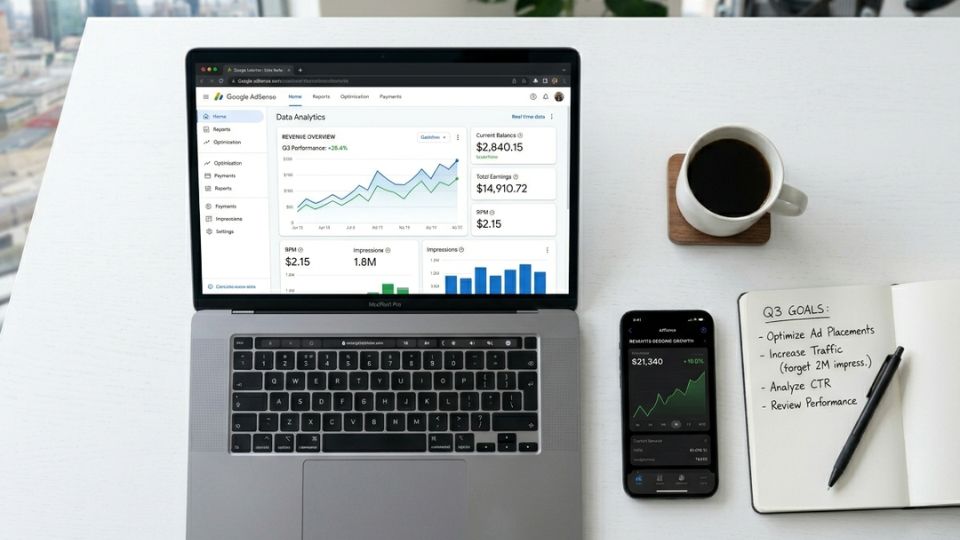
Prompt: A sleek, modern digital workspace overhead shot. A laptop screen displaying a vibrant, professional data analytics dashboard with upward-trending line charts and a high-resolution Google AdSense interface. Next to the laptop sits a smartphone showing financial revenue growth, a clean white notebook with a pen, and a minimalist ceramic coffee mug on a clean white desk background. The lighting is bright, airy, and professional, mimicking a high-end corporate office environment, cinematic depth of field, 8k resolution.